
Record Your Screen Instantly – No Downloads Required
Free, powerful online screen recorder for videos, demos, and more.




- One Click Recording
- Record Screen, Webcam or Tab
- No Watermarks

.webp)
Trusted and Supported by businesses across the world







How to Use Online Screen Recorder
Unlock the power of simple, high-quality screen recording with ScreenApp's intuitive online screen recorder. With just a few clicks, you'll be sharing professional-looking screencasts in no time. Here's how:
- Visit ScreenApp: No downloads needed! Access ScreenApp directly from your web browser.
- One-Click Start: Hit the "Start Recording" button and choose your recording area (full screen, window, or browser tab).
- Customize Your Capture: Add webcam overlays for tutorials and presentations, and enable crisp audio capture for voiceovers and sound.
- Record and Share: When you're finished, instantly download your screen recording or get a shareable link for seamless collaboration.gm
Benefits of Online Screen Recorder
- Effortless Screen Capture: Record anything on your screen without the hassle of downloads or installations. Start recording in seconds directly from your browser.
- Versatile Recording Options: Capture your full screen, specific windows, or browser tabs. Include webcam overlay for personalized tutorials and presentations.
- Crystal-Clear Quality: Enjoy professional-looking videos with flawless visuals and crisp audio. No watermarks, ever.
- Unmatched Convenience: Record on any device, anytime, anywhere. Works seamlessly with Windows, macOS, Chrome, Linux, and popular browsers.
- Streamlined Workflow: Download your recordings instantly or share them with a simple link. Perfect for quick collaboration and feedback.
- Enhanced Communication: Replace lengthy explanations with clear visual demonstrations – ideal for tutorials, bug reports, sales presentations, and more.
Boost your productivity and simplify your communication with ScreenApp's Online Screen Recorder. Try it now for free!
.webp)
Online Screen Recorder
Capture your screen and camera in a click without a watermark, including any Teams, Meet, Zoom, or Webex Call.
.png)
Transcribe in a Flash
Transcribe any video or audio without lifting a finger with 99% accuracy and lightning speed.
.webp)
Summarize and Chapterize
Save time and effort. Get an AI-generated summary automatically and focus on what matters.
.png)
Take Notes from a Video with AI
Turn your videos and audio into skimmable notes. Click to the part you want to watch.
.webp)
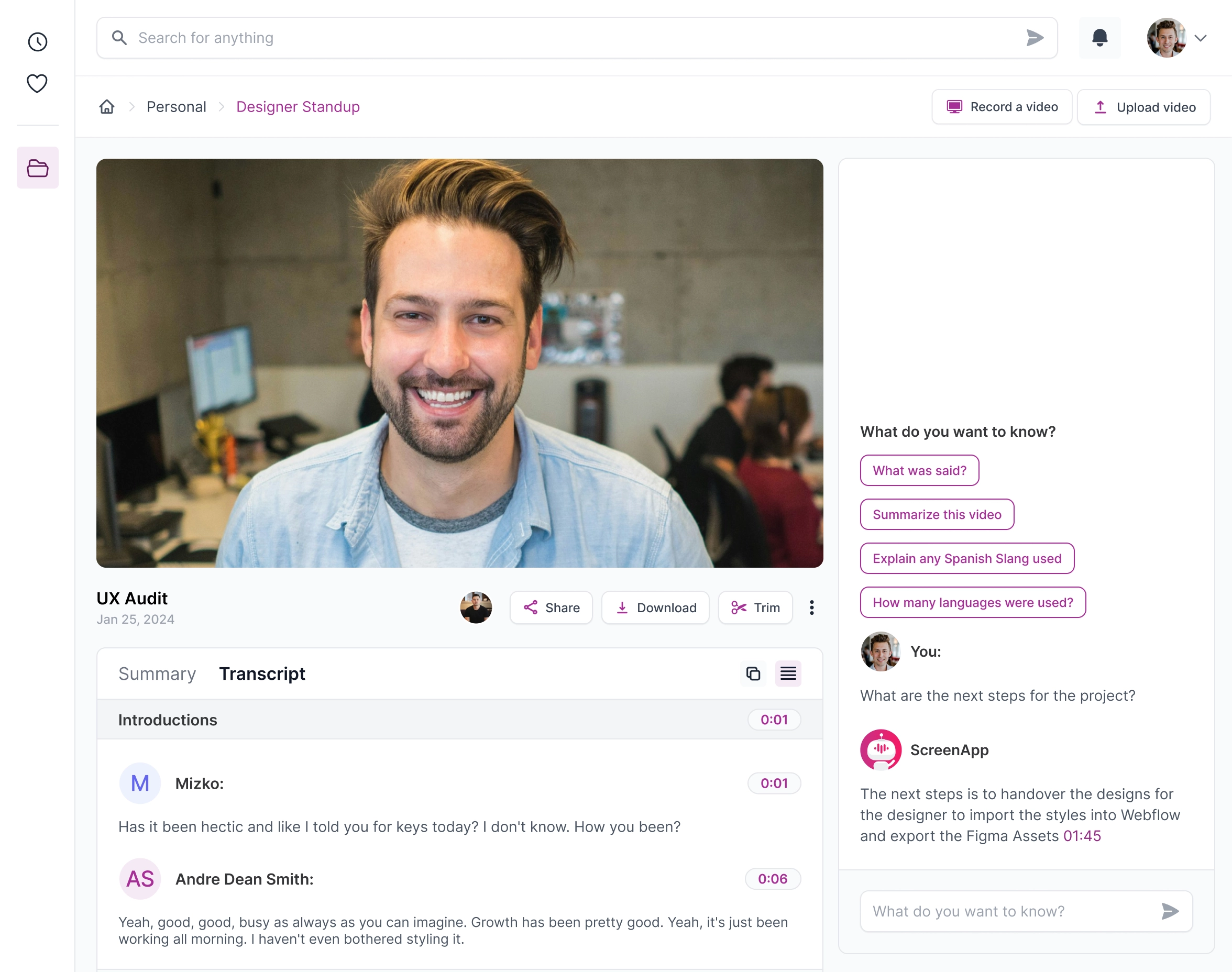
Chat to Your Videos
Instantly extract action items, decisions, and insights from your recordings. It's like talking to somebody who has watched the videos for you.
.webp)
Instantly Record Audio
Record your audio with 1 click directly from your browser or mobile.
.webp)
Translate Videos with AI
Translate Understand any video or audio in over 50 languages.
.webp)
Upload any Video or Audio
Upload any video or audio file for transcription, summaries and notes.
Who is Online Screen Recorder for?
ScreenApp makes capturing anything happening on your screen incredibly easy and convenient. Here's who thrives using our powerful online screen recorder:
- Educators & Students: Make dynamic lessons, tutorials, and presentations. ScreenApp simplifies sharing knowledge to enhance learning experiences.
- Creative Professionals: Record stunning software demos, walkthroughs, and feedback sessions. Share your creative process directly through your screen.
- Customer Support Reps: Demonstrate troubleshooting steps with crystal-clear screen recordings and webcam overlays. Streamline support, reduce misunderstandings, and boost customer satisfaction.
- Remote Teams: Conduct insightful training, seamless onboarding, and effective collaboration – all asynchronously with the power of screen recordings.
- Everyone Else: Whether it's saving gaming highlights, sharing family updates, or capturing video calls with loved ones, ScreenApp is the ultimate online screen recorder for diverse needs.
.webp)
Can I record my screen directly from my web browser?
Yes! ScreenApp's Online Screen Recorder lets you capture your screen effortlessly within your browser (Chrome, Firefox, Edge, Safari). No downloads or installations are necessary.
How do I save my screen recordings?
You can instantly download your recordings to your computer for immediate use. All videos are available for immediate viewing and easy storage.
Is ScreenApp a safe and secure platform?
Absolutely! We take privacy and security seriously. Your recordings are fully secure and confidential, and access to your files is strictly protected.
Can I record my screen and webcam simultaneously?
Yes. ScreenApp allows you to add your webcam overlay to create personalized tutorials, demonstrations, presentations, and more.
Are there any watermarks or limitations in the free version?
None at all! You can enjoy high-quality, watermark-free screen recordings even with the free version.
How does ScreenApp compare to other screen recording tools?
ScreenApp stands out with its seamless online functionality, no-watermark recordings, webcam integration, and free access to premium features. It's user-friendly and designed for efficient video creation.
Does Google offer a built-in screen recorder?
While Chromebooks have a built-in screen recorder, Google doesn't currently provide a direct screen recording function within the Chrome browser. ScreenApp is a powerful and convenient online alternative.
Can I record my screen on Windows without downloading software?
Yes, ScreenApp's Online Screen Recorder works perfectly on Windows, allowing you to record your screen directly from your web browser without any installations.
Are there any hidden costs or fees with ScreenApp?
ScreenApp offers a robust free version with high-quality recording capabilities. You can record screens without any additional costs or restrictions.
Can websites tell if I'm recording my screen?
Most websites generally cannot detect screen recording. However, some secure streaming platforms might have measures to limit unauthorized recording.
What do I need to start using ScreenApp's Online Screen Recorder?
All you need is a compatible web browser (Chrome, Firefox, Edge, Safari) and a stable internet connection. Your device must also have a working microphone and webcam if you plan to use those features.